10 Relatable Everyday Work & Office Memes


Workplace culture has undergone a massive transformation in recent years. From the sudden rise of remote and hybrid work models to the constant influx of digital communication platforms like Slack, Microsoft Teams, and email, the modern workday looks vastly different than it did a decade ago. Yet, despite technological advancements, certain universal office truths remain unchanged: the awkward silence after asking a question on a group call, the existential dread of a calendar invite with no agenda, and the frantic scramble to look busy when the boss walks past your desk.
Humor has always served as a coping mechanism for workplace stress. Memes, in particular, provide a shared language for employees around the world, transforming daily frustrations into lighthearted humor. Whether you are navigating corporate jargon, trying to survive another endless meeting that could have been an email, or balancing the fine line between professional courtesy and sheer exhaustion, relatable work memes offer a momentary pause and a good laugh.
In this article, we break down ten classic, highly relatable everyday work and office meme concepts that capture the reality of modern corporate life. Each section explores why these scenarios resonate so strongly with employees across industries and offers actionable strategies for managing these common workplace hurdles.
The Evolution of Office Humor in the Digital Age
To understand why work memes have become such a cultural phenomenon, it helps to examine how workplace communication has shifted over time. Historically, office humor was confined to physical water coolers, break rooms, and printed comics pinned to cubicle walls. It was localized, informal, and limited to immediate co-workers.
With the advent of the internet and remote work tools, office humor expanded globally. Employees across different continents began realizing they were experiencing the exact same daily micro-frustrations. The shared experience of corporate life created a universal comedy template centered around several core themes:
- Communication Overload: Navigating endless email chains, instant messages, and video calls.
- Time Management vs. Meetings: Balancing actual productivity against scheduled check-ins.
- Corporate Jargon: Translating buzzwords like “synergy,” “touch base,” and “circle back” into plain English.
- Work-Life Boundaries: Maintaining personal well-being amidst tight deadlines and constant connectivity.
By examining these themes through humor, organizations and employees alike can gain valuable insights into workplace stress points, communication gaps, and productivity bottlenecks.
1. The “This Meeting Could Have Been an Email” Dilemma

The Reality Behind the Meme
Few things trigger collective corporate exasperation quite like a 60-minute meeting convened to deliver information that could have been summarized in a three-paragraph email. The classic image of an employee staring blankly at a screen while a presenter reads slides line-by-line is a staple of office humor.
Meetings are intended to foster collaboration, decision-making, and creative brainstorming. However, when meetings are called without a clear purpose, they consume valuable focus time—a phenomenon often referred to by productivity experts as “context switching.” Every time an employee is pulled out of deep, focused work to attend a non-essential status update, it takes an average of 20 to 25 minutes to regain full concentration afterward.
Summary Table: Meetings vs. Written Communication
| Communication Type | Best Used For | Key Advantages | Common Pitfalls |
| Live Meeting | Complex problem-solving, team alignment, sensitive feedback | Real-time discussion, immediate tone clarity | Consumes high cumulative hours, prone to rambling |
| Email / Document | One-way updates, detailed instructions, formal records | Asynchronous reading, permanent reference | Potential for misinterpretation, slow response time |
| Instant Message | Quick clarifications, urgent alerts, casual check-ins | Fast resolution, low disruption | Can create constant interruptions if overused |
How to Fix Meeting Fatigue
To prevent meeting bloat in your organization or team:
- Require an Agenda: Never schedule a meeting without a bulleted list of objectives and expected outcomes attached to the invite.
- Adopt Asynchronous Updates: Use project management software or weekly digest emails for status updates rather than live roll calls.
- The 15-Minute Rule: Default to 15-minute or 25-minute meeting blocks instead of the standard 30- or 60-minute defaults provided by calendar software.
2. The “Per My Previous Email” Translation
The Reality Behind the Meme
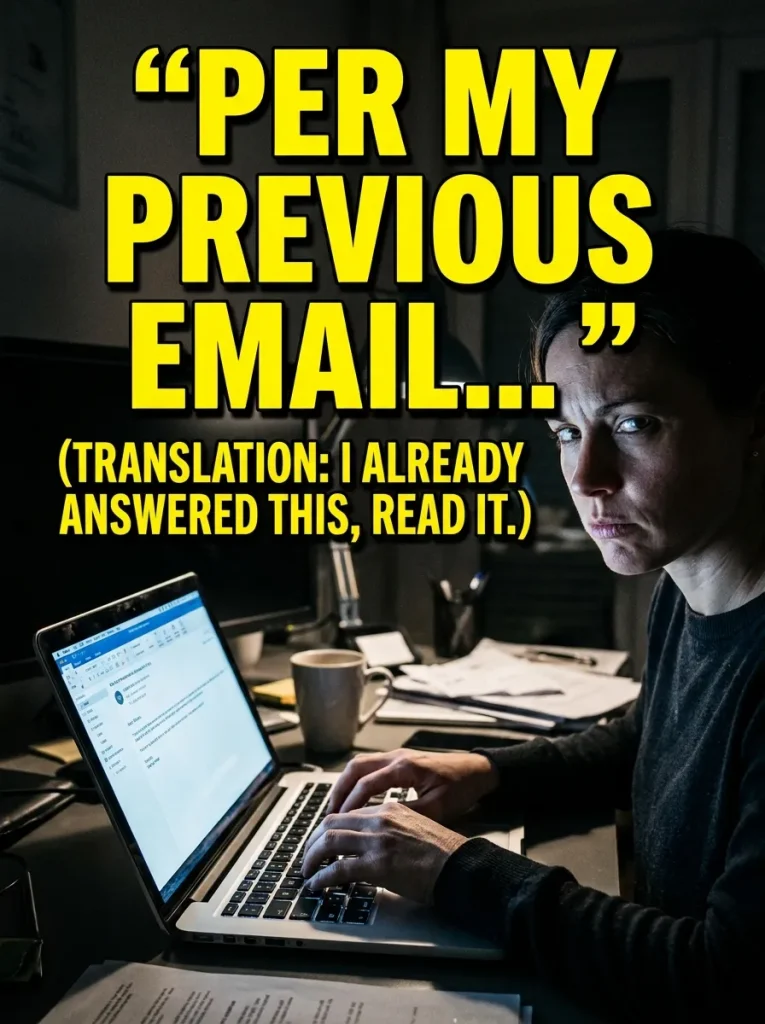
Corporate politeness is an art form, and no phrase carries as much passive-aggressive weight as “Per my previous email.” To the untrained eye, it appears to be a helpful reference to prior communication. To anyone working in an office, it translates directly to: “I already answered this, you didn’t read it, and now I am forced to point out your oversight in writing.”
This meme persists because information overload is real. The average professional receives dozens, if not hundreds, of notifications and emails daily. When messages are overly verbose or poorly formatted, key details get lost, leading to repeated questions and polite corporate pushback.
[Received Email] ────► [Too Long / Unstructured] ────► [Important Detail Missed]
                                                               │
[Polite Response] ◄─── ["Per My Previous Email"] ◄──── [Repeat Question Asked]
Decoding Common Corporate Jargon
To navigate daily office emails effectively, it helps to understand the hidden meanings behind common corporate phrases:
- “Thanks in advance!” → I am assuming you will do this without giving you a chance to say no.
- “Re-attaching for convenience.” → The file was right there in the original email, which you clearly ignored.
- “Just following up on this!” → This is overdue, and I need an update immediately.
- “Let’s circle back on this later.” → We are not going to talk about this again for a very long time.
- “As discussed…” → I am documenting this agreement in writing so there is a paper trail.
Best Practices for Clear Workplace Writing
To avoid having to write “per my previous email,” structure your messages for maximum readability:
- Put the Action Item First: Place the core question or call-to-action in the very first sentence.
- Use Bold Text for Key Dates: Highlight deadlines and specific names so skimmers do not miss them.
- Keep Paragraphs Short: Limit paragraphs to two or three sentences maximum.
3. The Pre-Vacation Workload Surge

The Reality Behind the Meme
Taking time off is supposed to be relaxing, yet the three days leading up to a scheduled vacation often feel like a marathon of stress. The meme of an employee frantically typing at top speed while their desk burns around them perfectly encapsulates the pre-vacation crunch.
To enjoy a week of rest, workers frequently feel compelled to compress two weeks’ worth of productivity into a few days. They clear out backlogs, write exhaustive handovers, and clear their inboxes to avoid returning to an overwhelming pile of unread messages.
“A vacation is over when you begin to yearn for your work so that you can rest.” — Popular Workplace Proverb
Preparing for a Stress-Free Absence
To break the cycle of pre-vacation panic, follow this checklist one week before departing:
- [ ] Set Expectations Early: Notify key stakeholders and project managers at least five business days before your leave.
- [ ] Designate a Point of Contact: Assign a reliable teammate to cover urgent inquiries and brief them thoroughly on active projects.
- [ ] Block Your Final Day: Keep the last day before your vacation free of non-essential meetings so you can focus entirely on handovers and wrap-up tasks.
- [ ] Configure Out-of-Office Auto-Responders: State clearly when you will return and who to contact in your absence, setting explicit boundaries that you will not be checking email.
4. The Mute Button Mishaps and Virtual Call Awkwardness
The Reality Behind the Meme
Remote and hybrid work arrangements brought video conferencing into the mainstream, along with a completely new set of comical micro-disasters. The meme of someone talking passionately for two minutes while completely muted—followed by the inevitable choruses of “You’re on mute!”—is a staple of modern remote work.
Virtual meetings stripped away many subtle social cues present in physical conference rooms. Without body language and eye contact, participants often face awkward timing issues: either everybody speaks at once, leading to repeated rounds of “No, you go first,” or complete dead silence reigns when a presenter asks a simple question.
                  ┌──────────────────────────────┐
                  │ Presenter Asks a Question   │
                  └──────────────┬───────────────┘
                                 │
                 ┌───────────────┴──────────────┐
                 ▼                              ▼
      ┌─────────────────────┐        ┌─────────────────────┐
      │ Everyone Unmutes at │        │ Complete Silence    │
      │ the Same Time       │        │ (10 Seconds)        │
      └──────────┬──────────┘        └──────────┬──────────┘
                 │                              │
                 ▼                              ▼
      ┌─────────────────────┐        ┌─────────────────────┐
      │ "No, go ahead!"     │        │ "Can everyone hear  │
      │ "Sorry, you first!" │        │  me?"               │
      └─────────────────────┘        └─────────────────────┘
Video Call Etiquette Guidelines
- Master the Shortcuts: Learn the keyboard shortcuts for mute/unmute (
Spacebarhold on Zoom,Ctrl+Shift+Mon Teams) to avoid frantic mouse clicks. - Use In-Meeting Chat: Use the text chat function for quick affirmations or queuing up questions without interrupting the speaker.
- Acknowledge Silence: If you ask a question as a presenter, wait a full 5 to 7 seconds before moving on. Virtual lag often delays responses.
5. The Friday Afternoon Energy Collapse
The Reality Behind the Meme

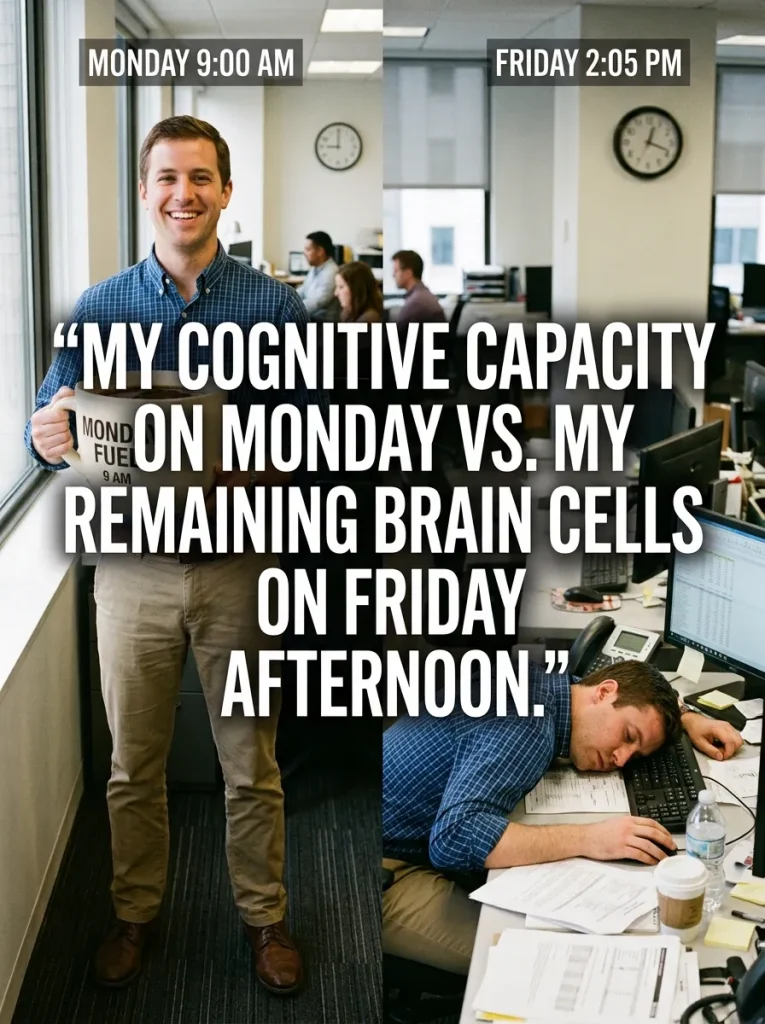
There is a distinct physiological shift that occurs around 2:00 PM on a Friday. The high energy and drive of Monday morning have long dissipated, replaced by a collective count down toward the weekend. The meme of a battery icon dropping from 100% on Monday to 1% on Friday afternoon resonates with virtually anyone who works a standard five-day workweek.
Attempting to start complex, brain-intensive tasks late on a Friday afternoon often leads to low-quality output or re-work on Monday morning. Smart professionals adapt to this natural rhythm by structuring their weekly task lists accordingly.
Weekly Energy & Focus Curve
--------------------------------------------------
Monday    [████████████████████] 100% - Planning & Low-Focus Tasks
Tuesday   [█████████████████████████] 100%+ - Peak Productivity & Deep Work
Wednesday [████████████████████] 85% - Collaboration & Execution
Thursday  [██████████████] 60% - Task Wrap-Up & Follow-Ups
Friday    [████] 20% - Administrative Maintenance & Weekly Review
--------------------------------------------------
How to Structure Your Week for Maximum Efficiency
- Monday: Focus on planning, organizing, catching up on communications, and setting goals for the week ahead.
- Tuesday & Wednesday: Block off large stretches of time for “deep work”—complex problem-solving, writing, coding, or strategic planning when cognitive energy is highest.
- Thursday: Focus on completing pending deliverables, holding status meetings, and resolving blockers.
- Friday Afternoon: Dedicate this time to low-friction administrative tasks: cleaning your digital desktop, organizing project folders, filing expense reports, and drafting your to-do list for Monday.

6. The “Looking Busy” Survival Tactics
The Reality Behind the Meme
In workplaces where management measures productivity by physical presence or status indicators rather than actual output, employees often develop elaborate strategies to appear constantly occupied. The iconic meme of a worker staring intensely at a complex spreadsheet with furrowed brows while secretly contemplating what to eat for lunch highlights a flaw in traditional performance evaluation.
When managers focus on activity rather than results, it creates an environment where optics matter more than efficiency. Fast workers who complete tasks ahead of schedule are often rewarded with more work, while those who pace themselves and maintain an appearance of constant struggle are perceived as hard workers.
Outcome-Based Work vs. Activity-Based Work
| Feature | Activity-Based Model (Traditional) | Outcome-Based Model (Modern) |
| Primary Metric | Hours logged at desk, online status green | Delivered projects, quality of work, deadlines met |
| Culture Impact | Encourages presenteeism and performative busyness | Encourages efficiency, autonomy, and high output |
| Employee Wellbeing | High anxiety over status lights and visibility | Focus on work quality and healthy work-life balance |
| Managerial Style | Micromanagement and physical oversight | Trust-based management with clear KPIs |
7. The Post-Lunch Slump and Caffeine Reliance

The Reality Behind the Meme
It is 2:30 PM. You have just finished a satisfying lunch, and suddenly your eyes feel like lead weights. The “post-lunch slump” is a well-documented circadian rhythm phenomenon where the body experiences a natural drop in core temperature and alertness in the early afternoon.
Memes featuring empty coffee mugs, energy drink cans, or characters staring longingly at office couches hit home because almost everyone experiences this mid-day energy dip. While caffeine is the go-to solution for millions of workers, relying solely on stimulants can disrupt sleep patterns and worsen fatigue over time.
       Circadian Rhythm Dip & Energy Recovery Path

Alertness
  │
High │  ┌───────┐                       ┌───────┐
  │ /         \                     /         \
  │/           \                   /           \
Med│             \  Post-Lunch    /             \
  │               \   Slump      /               \
Low│                └───▼───────┘                 \
  └─────────────────────────────────────────────────► Time
    8:00 AM      12:00 PM     2:30 PM      6:00 PM
Healthy Ways to Overcome the Afternoon Energy Dip
- Take a 10-Minute Walk: Stepping away from your screen for a quick walk outside or around the office increases blood flow and oxygen to the brain, boosting alertness naturally.
- Optimize Lunch Choices: Heavy, refined carbohydrates cause rapid blood sugar spikes followed by steep crashes. Opt for lean proteins, healthy fats, and complex carbohydrates to sustain energy levels.
- Hydrate with Water: Mild dehydration is a primary cause of afternoon fatigue. Drink a large glass of water before reaching for a second or third cup of coffee.
- Switch to Light Tasks: Save repetitive, low-energy tasks (such as sorting files or clearing non-urgent notifications) for the 2:00 PM to 3:30 PM window.
8. The Never-Ending Password Reset Loop

The Reality Behind the Meme
In the modern corporate world, cybersecurity is paramount. However, security protocols often lead to frustrating user experiences. The meme of an employee attempting to reset a forgotten password, only to be told “Your new password cannot be the same as your old password,” is a universally shared IT pain point.
As organizations implement complex password policies—requiring uppercase letters, lowercase letters, numbers, special characters, and mandatory resets every 90 days—employees face cognitive fatigue trying to remember dozens of complex logins.
                ┌──────────────────────────────────┐
                │ Enter Old Password               │
                └────────────────┬─────────────────┘
                                 │
                                 ▼
                ┌──────────────────────────────────┐
                │ "Incorrect Password"             │
                └────────────────┬─────────────────┘
                                 │
                                 ▼
                ┌──────────────────────────────────┐
                │ Click "Forgot Password / Reset"   │
                └────────────────┬─────────────────┘
                                 │
                                 ▼
                ┌──────────────────────────────────┐
                │ Enter Desired New Password       │
                └────────────────┬─────────────────┘
                                 │
                                 ▼
 ┌────────────────────────────────────────────────────────────────┐
 │ "Error: Your new password cannot be your old password!"        │
 └────────────────────────────────────────────────────────────────┘
Modern Solutions for Password Management
Organizations and workers can streamline digital security without losing their sanity:
- Use Enterprise Password Managers: Password managers securely store, generate, and autofill complex passwords, eliminating the need to memorize dozens of individual credentials.
- Adopt Passkeys and Biometrics: Many platforms are moving toward passkeys, facial recognition, and fingerprint scanning, which offer higher security with zero memory burden.
- Implement Single Sign-On (SSO): SSO allows employees to log into a single secure portal to access all their work applications seamlessly.
9. The “Quick Question” That Wasn’t Quick

The Reality Behind the Meme
“Hey, do you have a quick sec for a fast call?”
When a teammate asks this on an instant messaging platform, it rarely takes a “second.” More often than not, a “quick question” turns into a 45-minute deep-dive discussion into project scope, architecture, or workflow revisions that derail your entire afternoon schedule.
While spontaneous collaboration is valuable, unscheduled interruptions break concentration and push focused work into the late hours of the day.
   [Ping: "Got 2 mins for a quick call?"]
                    │
                    ▼
   [Accept Call Expecting a 2-Minute Chat]
                    │
                    ▼
   [Scope Creep / Background Context Added]
                    │
                    ▼
   [45 Minutes Later: Deep Project Review]
Protecting Your Focus Time
To handle incoming requests gracefully without being unhelpful:
- Ask for Context First: Respond politely with: “I’m in the middle of drafting a report right now. What’s the core question? I might be able to answer it right here in chat!”
- Block Focus Hours on Your Calendar: Mark specific times on your calendar as “Focus Time” or “Do Not Disturb” to let colleagues know you are deep in concentration.
- Batch Your Calls: Schedule open office hours or set aside specific blocks during the day for quick catch-ups rather than taking unscheduled calls throughout the day.
10. The Open-Office Noise Struggle

The Reality Behind the Meme
The open-office floor plan was originally designed to foster transparency, spontaneous collaboration, and teamwork. However, for many employees, it resulted in a loud environment full of distractions. The meme of a worker wearing massive noise-canceling headphones while typing furiously—serving as a literal human “Do Not Disturb” sign—is iconic for a reason.
From loud phone calls and squeaky chair wheels to microwave scents wafting from the breakroom, open offices present significant concentration challenges for tasks requiring intense focus.
Open-Office Survival Toolkit
- Invest in Noise-Canceling Headphones: High-quality active noise-canceling (ANC) headphones are essential gear for open-plan workspaces.
- Establish Team Signals: Agree with your immediate desk neighbors on subtle signals (like headphones on = do not disturb unless urgent).
- Utilize Quiet Spaces: Move to telephone booths, small huddle rooms, or quiet zones when working on high-focus tasks or sensitive calls.
Summary Checklist: Building a Better Work Environment
While workplace humor offers a fun outlet for daily frustrations, addressing the root causes of these office tropes creates a more productive and enjoyable work life. Here is a quick reference guide to transforming common office headaches into smooth workflows:
┌───────────────────────────┬──────────────────────────────────────────────────────┐
│ Office Challenge          │ Recommended Solution                                 │
├───────────────────────────┼──────────────────────────────────────────────────────┤
│ Endless Meetings          │ Require agendas; switch to asynchronous updates      │
│ Email Miscommunication    │ Put action items first; use clear formatting         │
│ Pre-Vacation Stress       │ Block your final day; assign clear coverage points   │
│ Virtual Call Fatigue      │ Master mute shortcuts; leverage text chat            │
│ Afternoon Energy Slump    │ Take short walks; hydrate; save low-energy tasks     │
│ Distractions & Pop-Ups    │ Block focus time; set boundaries on "quick calls"    │
└───────────────────────────┴──────────────────────────────────────────────────────┘
Final Thoughts
Everyday work and office memes resonate so widely because they highlight the shared human experience within corporate environments. Laughing at common frustrations—whether it’s an unexpected password reset loop, a meeting that should have been an email, or the afternoon energy crash—helps build camaraderie among teammates and reduces everyday stress.
By pairing humor with practical workplace habits, clear communication, and thoughtful time management, employees and leaders can cultivate a supportive, balanced, and productive work culture where everyone thrives.






Post Comment